Clean the manuscript structure
Confirm chapter order, headings, scene breaks, and front/back matter.
One manuscript, a reflowable ebook
Novelbound prepares EPUB 3 from the same structured manuscript used for drafting and revision. Chapters, scene order, metadata, and publishing details stay connected so the ebook is generated from the current book rather than from an exported copy that immediately becomes stale.
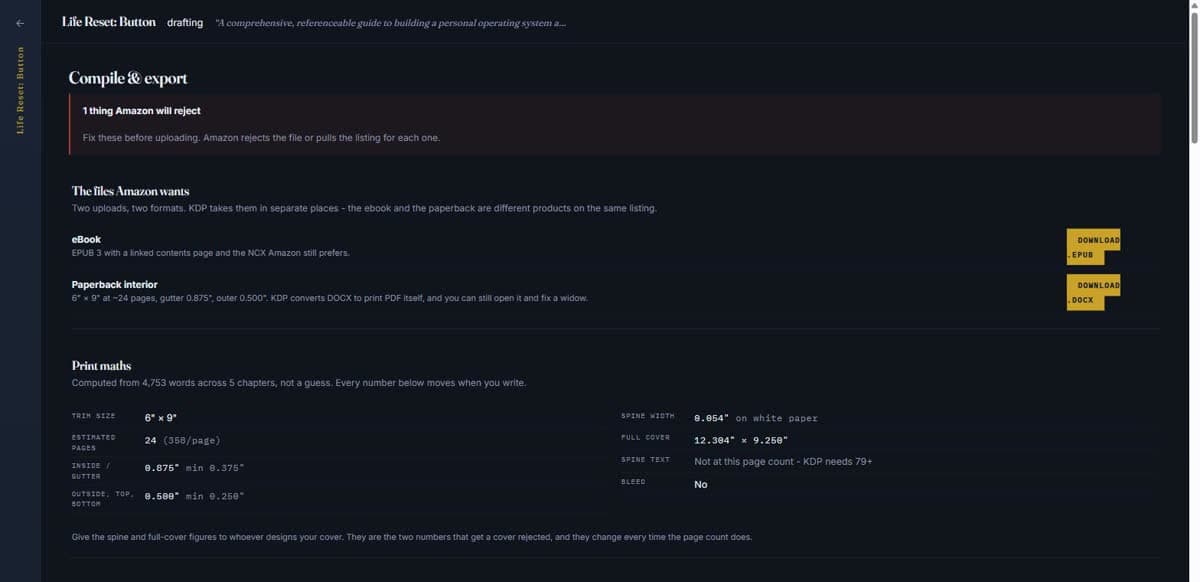
Readers change type size, line spacing, margins, color themes, and device orientation. A dependable EPUB uses semantic chapter structure and lets the reading system reflow the text instead of attempting to preserve a word processor page.
That makes clean source structure more important than decorative positioning. Novelbound already knows the book's chapters and scene order, so the ebook can be assembled from the actual manuscript hierarchy.
The most common production problem is not the export button; it is version confusion. A typo is fixed in the word processor but not in the EPUB project, or the final chapter order differs between print and ebook.
Novelbound keeps the manuscript as the source of truth. Revise there, regenerate the format, and review the result. You do not have to manually merge corrections into a second book file.
An EPUB that opens is not necessarily ready. Navigation, chapter breaks, italics, special characters, images, and front matter should be reviewed in a validator and in representative reading applications.
Novelbound helps create the package, while final quality control remains an author or publisher responsibility. The useful workflow is generate, validate, inspect, correct the source, and generate again.
A practical workflow
Confirm chapter order, headings, scene breaks, and front/back matter.
Use the final title, author, language, description, and other publishing facts.
Build the reflowable package from the current Novelbound manuscript.
Test navigation and typography in a validator and representative reading apps before upload.
Questions, answered
EPUB is a packaged ebook format built from structured web technologies. Most EPUB books are reflowable, so text adapts to the reader's device and preferences.
Amazon's accepted inputs can change, but EPUB is a standard ebook source format supported in KDP workflows. Always confirm the current KDP documentation before upload.
A reflowable EPUB does not have stable pages because font size and screen dimensions change. Print page numbers belong to the separate fixed print interior.
Yes. Validate the package and inspect it in representative reading environments so navigation, formatting, and special characters behave as intended.
Your words stay yours
Bring the book you have, including the messy version.
Start writing with Novelbound